
EdgeVoice
A GUI desktop text-to-speech app that converts text into speech using Microsoft Edge’s neural voices.
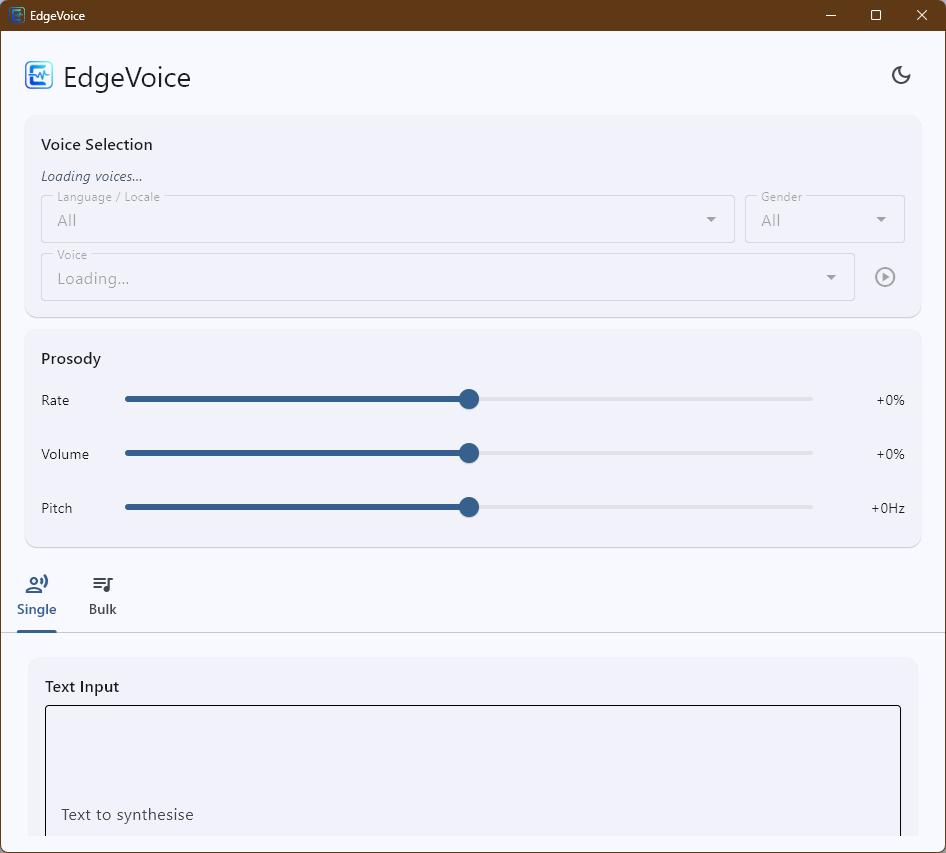
Use a clean interface to preview voices, adjust speech settings, export single files, or batch-process text lists.
Why EdgeVoice
- High-quality Microsoft Edge neural voices
- Instant voice preview before export
- Fine-grained control over rate, volume, and pitch
- Save spoken audio as MP3
- Export matching subtitle files when needed
- Light and dark themes with saved preferences
Main features
Single voice export
- Enter text directly or load from a
.txtfile - Choose language, gender, and voice
- Adjust prosody for natural-sounding speech
- Generate and play audio right away
Batch generation
- Add items manually or import a text list
- Edit, delete, or retry individual rows
- Export multiple MP3 files to a folder
- Monitor progress and estimated completion time
Voice discovery
- Filter available voices by language and gender
- Listen before you save
Who it’s for
Creators, narrators, accessibility users, and anyone who wants a simple, friendly way to turn text into speech using Microsoft Edge voices.